
Simple password software · Windows and Mac
Your passwords should not need the internet.
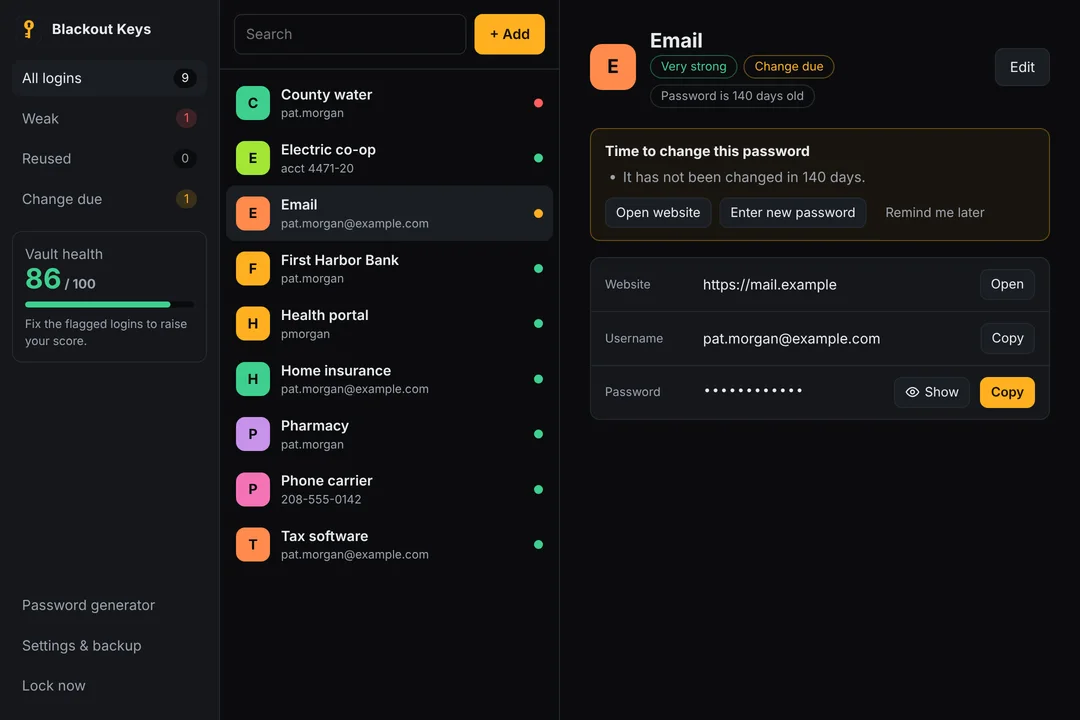
Blackout Keys is a simple program you install on your own computer. It keeps every login in one encrypted file on your drive and never connects to the internet, so there is no company server to breach and nothing to be locked out of when a service goes down.
- Installed on your computer. A program, not a website.
- Never goes online. Zero network connections.
- No account, no cloud. Just your PIN.
- Secure checkout
- Instant download
- 60-day refund
One payment, not a subscription. Use it on 2 of your computers.
Why keep them at home
Two things have already happened to people who trusted the cloud with everything.
- The vaults themselves were taken.
LastPass disclosed that attackers copied customers' encrypted vault backups. The people who used it had no say. Their vaults were in a stranger's hands and all they could do was change passwords and hope.
- The machines went down.
One faulty CrowdStrike update took down about 8.5 million Windows computers in a morning. Large cloud outages do the same thing to sign-in for many apps at once.
A vault that lives on your own computer is not in that pile of millions, and it opens whether or not anything else is working.
How it stays simple
No server. No sign‑in. Nothing that can go down.
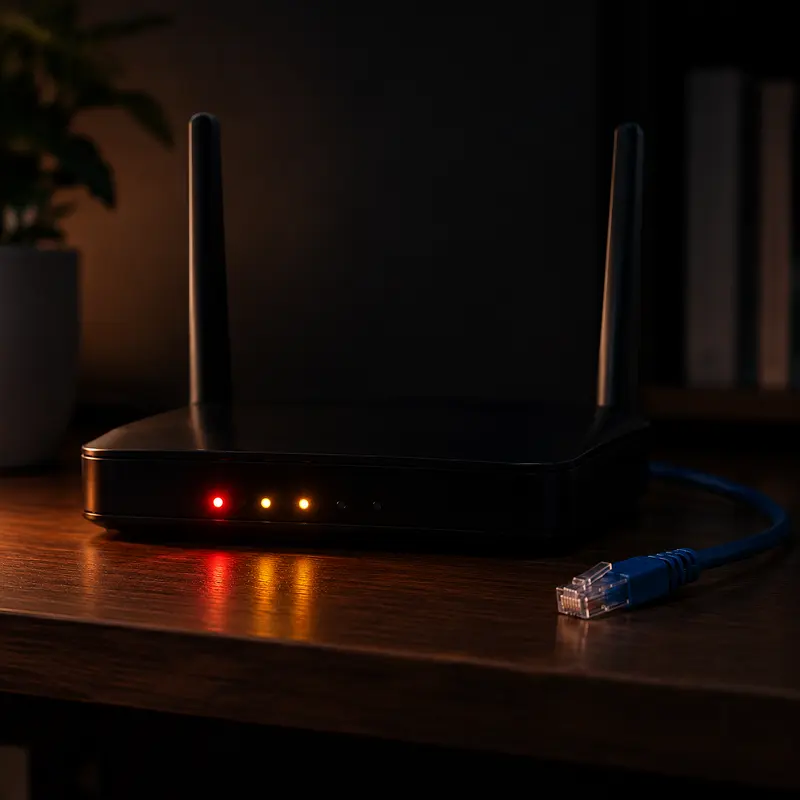
- It never goes online. The app makes zero network connections. Router out, provider out, cloud out: it opens the same.
- You open it with a PIN. Four digits, six, or a longer passphrase. Your choice at setup.
- There is no account. No email to give us, no password for the password manager's website, nothing to reset.
The app
Five minutes to set up. Here is all of it.

- Windows.exe
- Mac.dmg
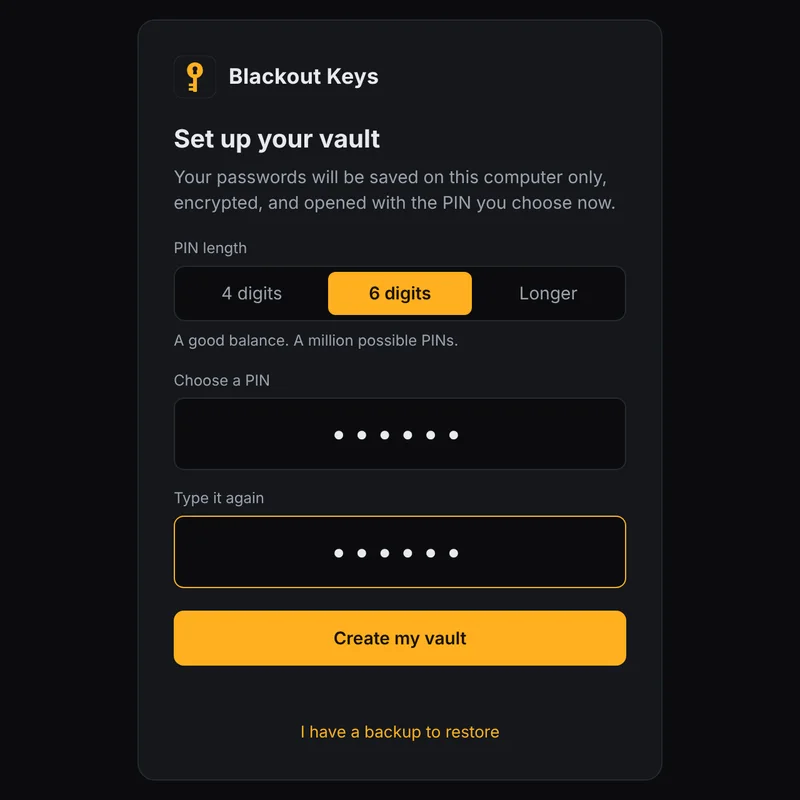
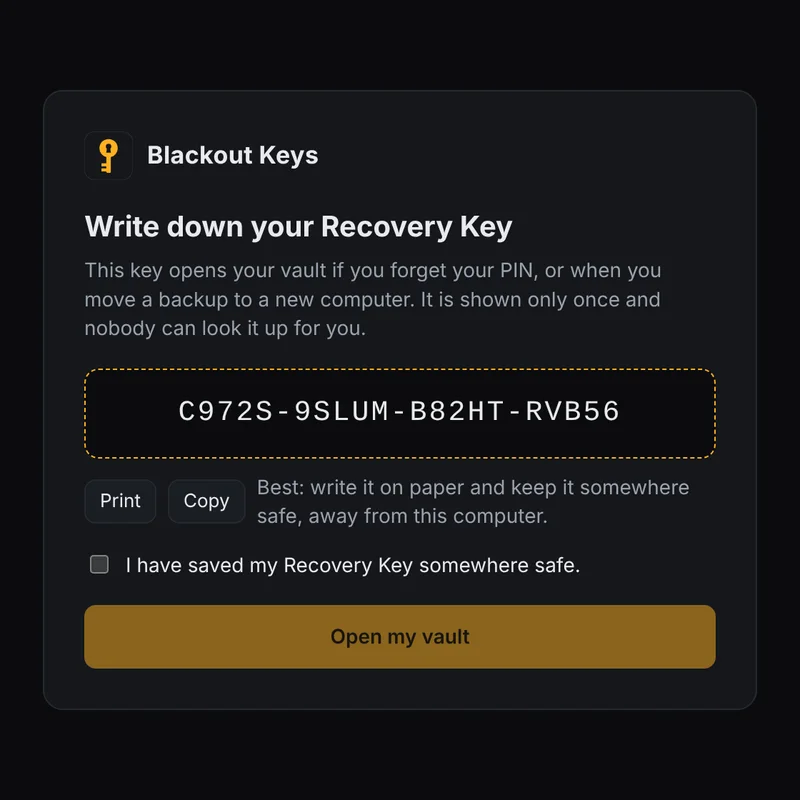
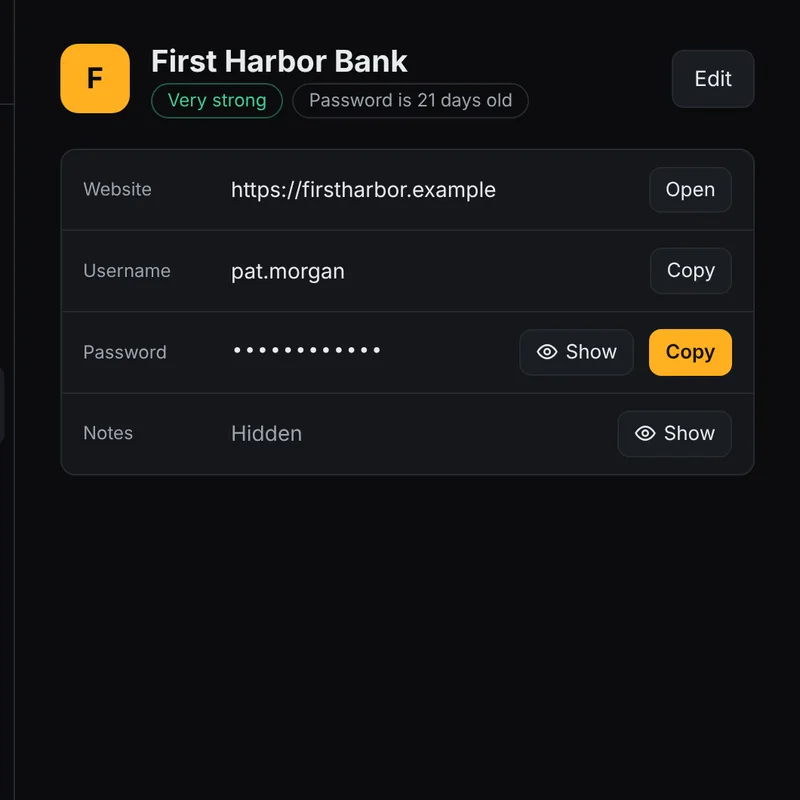
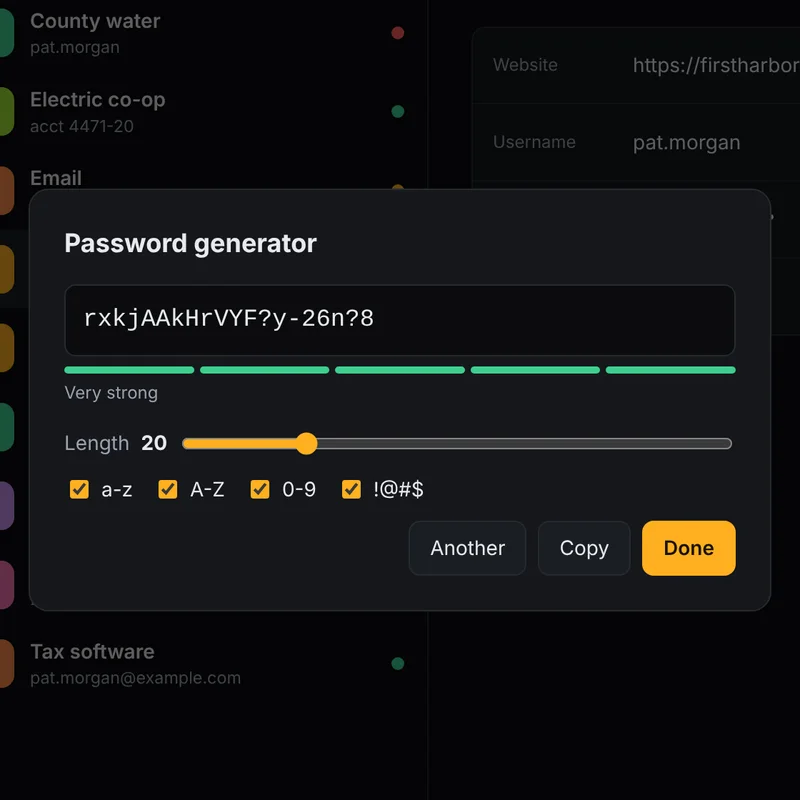
That is the whole setup. Most people are done in five minutes.
Get Blackout Keys$19.97What you get
The full list. No tiers, no add‑ons to unlock.
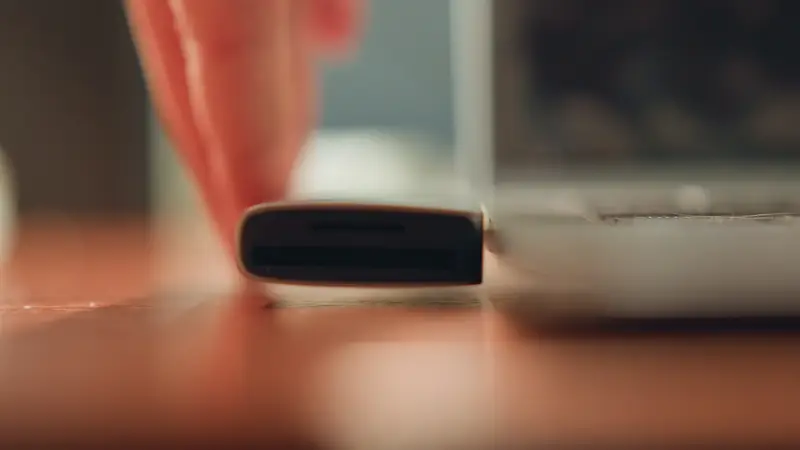
Your backup goes on a drive you can hold, not on our servers. We do not have any.
- Storage
- One encrypted file on your own drive. Nothing is uploaded, because there is nowhere to upload it to.
- Encryption
- AES-256-GCM. Without your PIN or Recovery Key the file is unreadable.
- Unlock
- A 4 or 6 digit PIN, or a longer passphrase. The PIN is tied to that computer through the operating system's secure key storage.
- Network
- None. The app makes zero network connections.
- Recovery
- A one-time Recovery Key, shown at setup, with a print button.
- Each login
- Name, website, username, password and notes. Passwords and notes stay hidden until you click to show them.
- Password checks
- A strength rating on every password, a warning when one is reused, and one health score for the whole vault.
- Reminders
- A desktop notification when a password is 90, 180 or 365 days old. You pick.
- Clipboard
- One click to copy. Cleared again after 30 seconds.
- Auto-lock
- Locks itself when the computer sits idle or goes to sleep.
- Backup
- An encrypted backup file for a USB drive. Restores on a new computer with your Recovery Key.
- Import and export
- CSV import from Chrome, Edge, Firefox and other managers. CSV export and a printed list, both behind your PIN.
- Runs on
- Windows 10 and 11, macOS 12 or later.
- License
- $19.97 once, for 2 of your computers. No subscription.
Built this way on purpose
Less to go wrong. Less to worry about.
Every choice in Blackout Keys comes down to one idea: your passwords are yours, and they stay with you.
Your passwords stay on your computer.
They are not copied to a phone or to anyone's servers, so there is no second place for them to leak from. One computer, one vault, one PIN.
Nothing is installed in your browser.
You click Copy and paste into the site. It takes a second, and it keeps your passwords out of the browser, where add-ons and web pages can reach.
You hold the only copy.
Save the encrypted backup to a USB drive and keep the printed Recovery Key somewhere safe. Nobody else can open your vault, including us.

It does one job and stays out of the way.
No sync settings, no account to manage, no monthly bill. Open it, copy what you need, close it.
Side by side
Where would you rather keep them?
The same passwords, in two very different places.
| Question | Blackout KeysOn your computer | A cloud password managerOn someone else's servers |
|---|---|---|
| Where your passwords live | On your own computer, in one encrypted file | On the company's servers |
| A company server that can be breached | None. There is nothing of yours to steal from us | Yes. In 2022 LastPass disclosed that attackers copied customers' encrypted vault backups |
| Opens when the internet is down | Always | Depends on the product and what happened to be saved on the device |
| Who can get to your vault | Only you, at your own computer | You, plus anyone who breaks into the provider or your online account |
| Account and sign-in | None. Just your PIN | An email, a master password and an online account to protect |
| Your backup | On a USB drive in your hand | On their servers |
| What you pay | $19.97 once | Many charge $36–$60 every year, for as long as you use it |
Keep them where only you can reach them.
Get Blackout Keys$19.97One price
$19.97. Once.
For Windows and Mac, on 2 of your computers. Many cloud managers charge $36–$60 every year.
- Secure checkout
- Instant download
- Windows and Mac
60-day refund. Install it, move your logins in, use it for a couple of months. If it is not worth what you paid, ask for your money back.
Is a local vault really safer than a cloud one?
It removes one specific risk: a company server that holds millions of vaults and is worth attacking. With Blackout Keys there is no such server, so there is nothing of yours to copy from it.
It does not remove every risk. If your computer is infected with malware, no password manager of any kind can fully protect you. Keep your system updated and be careful what you install.
What happens if my computer dies or is stolen?
That is what the encrypted backup is for. Save the backup file to a USB drive now and then. On a new computer, install the app, load the backup and enter your one-time Recovery Key. Without a backup, a dead drive means your saved logins are gone, so please make one.
What if I forget my PIN?
Your Recovery Key gets you back in. You are shown it once during setup. Print it or write it down and keep it somewhere safe, away from the computer. Nobody, including us, can reset your PIN or read your vault, because we never have it.
Does it sync to my phone?
No. Blackout Keys is a desktop app for Windows and macOS and it keeps your passwords on that one computer. If you need the same vault on a phone and several computers, a cloud manager fits better.
Does it fill in passwords in my browser automatically?
No. You click to copy the username or password and paste it into the site. The clipboard is cleared after 30 seconds.
Does the app ever connect to the internet?
No. The app makes zero network connections. It has no account system, no telemetry and no sync.
Which computers does it run on?
Windows 10 and 11, and macOS 12 or later.
How many computers can I put it on?
Your purchase is licensed for 2 computers that you own, for example a desktop and a laptop. Each computer keeps its own vault; move your logins between them with an encrypted backup file and your Recovery Key.
Is this a subscription?
No. You pay once. There are no monthly or yearly fees.
Can I move my existing passwords in?
Yes. Export a CSV file from Chrome, Edge, Firefox or another password manager and import it. Delete the CSV file afterwards, because it is not encrypted.
What is the refund policy?
If you are not happy for any reason, ask for a refund within 60 days of purchase and you get your money back.